Working with others
Writing together
In a team workspace, several people can be in one idea at once: writing on the same page, drawing on the same board, and leaving questions for whoever wrote it.
Editing at the same time
Open the same page as someone else and you can both write in it at once. You see each other’s caret, with a name over it, and what each of you has selected. Every change lands as it’s made. There is nothing to save and nothing to lock.
Boards work the same way: you see each other’s pointers, and an outline with a name around whatever someone else has selected. See Boards.
All of this is only in a team workspace. In your own idea book there’s nobody else, so none of it is shown.
See who’s here
Whoever else has the idea open shows as a face beside the toolbar: up to four, then a count of the rest. Viewers show too; they’re reading along.
- Hover over a face to see who it is and which page they’re on.
- Click a face to go to the page they’re on.
- The page strip at the bottom right shows a small face on each page someone is on.
A tab nobody has touched for a while drops out of the faces, and comes back as soon as it’s used again.
Follow someone on a board
On a board, click the face of someone who is on the same board to follow them. Your view goes wherever theirs goes, and the board is framed with their name. Press Esc, click their face again, or move the board yourself to stop.
Ask a question in the margin
A question is the one thing anyone else can leave on an idea. Anyone in the workspace can ask one, viewers included. Only the idea’s editors change its words.
- Hover over the part or paragraph you want to ask about and choose Ask a question, the speech bubble beside it.
- Write the question. If it doesn’t end in a question mark, Walden suggests one: it should be a question, not a suggestion.
- Choose Ask, or press Enter.
The question sits in the margin beside the paragraph, with your face. Click it to read it in full, along with any others on that paragraph. Each person has one open question per paragraph; asking again there replaces yours. The asked button in the toolbar counts the open questions on the page and takes you to them.
Answer a question
There are no replies and no threads. An editor answers on the page itself, by changing the words the question was about, then closes it one of two ways:
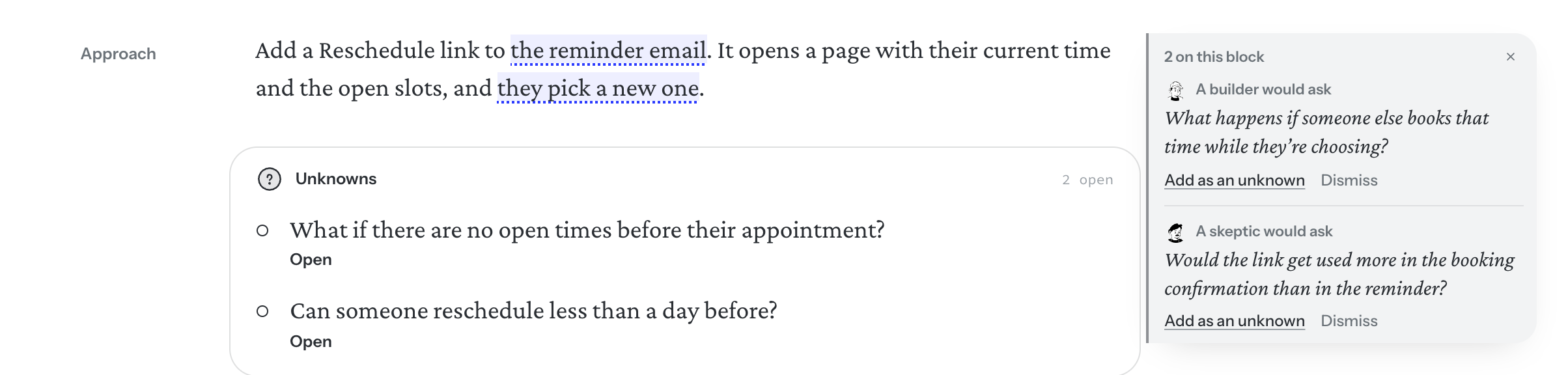
- Add as an unknown. The question becomes an unknown on the page, in your words from then on. On the Idea page it joins the Unknowns; on another page it goes beside the paragraph it was about. When you settle that unknown, the answer is there for whoever asked.
- Dismiss. It goes away.
While a question someone left is open, the idea is listed under Waiting on you, and it holds that part back in Readiness. See Unknowns and Not doing and Readiness.
Who else asks
A question from a person shows their face and name. The second reader’s questions share the same margin, with the reader’s portrait, and close the same two ways. They never hold the idea back: only people’s questions do. See The second reader.
- An earlier idea. A question with a dot says what a handed-off idea already decided, and links to it. See Decisions from earlier ideas.
- A build. A coding agent building the idea asks in the margin too. Its question closes one of three ways. See Following a build.
Questions on a board
On a board, a question is pinned to the note, box or shape it’s about. Anyone can ask; an editor settles or dismisses it. See Boards.