Building it
Handing off
When an idea is ready, give it to the people who will build it. Walden doesn’t build anything itself: handing off is where your part ends and theirs begins.
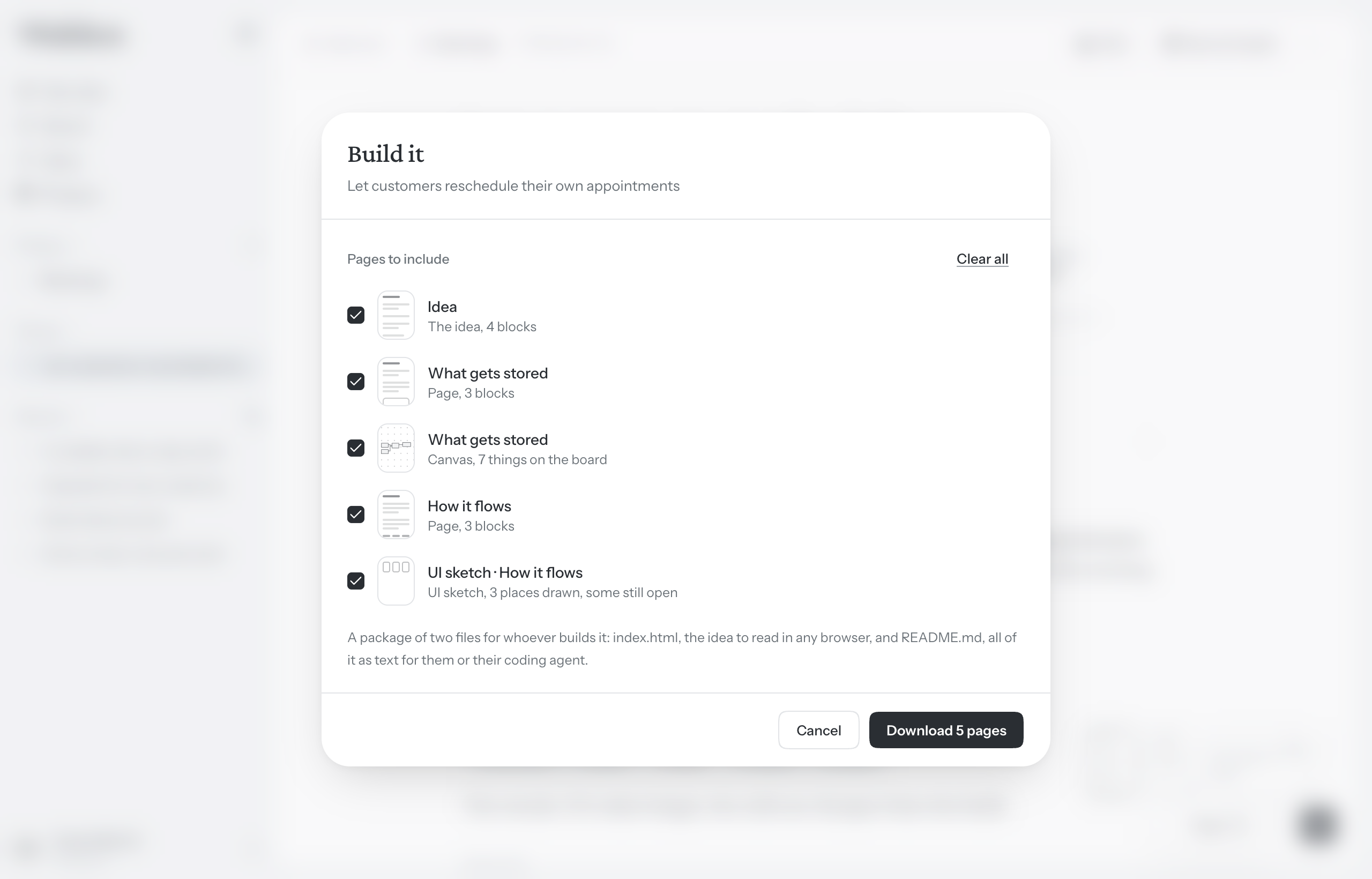
Open Build it
- Open the idea and choose More actions (…) at the right of the toolbar.
- Choose Build it….
There are two ways to hand an idea off, and you use one. As a file downloads a package for your engineering team. With a coding agent keeps the idea open to a coding agent, which reads it from Walden, keeps its tasks here and asks you when something isn’t decided. See Coding agents. Either way, the idea is marked handed off.
What’s still open
Beside the choice, under Before it goes, Walden lists everything in the idea that nobody has settled yet, with a count such as 3 open. When there’s nothing, it says Ready. Nothing new is judged here: it’s what Walden already knows about the idea, gathered in one place.
- An unknown nobody has closed, on any page of the idea.
- A question in the margin that nobody has answered.
- A part that isn’t Ready yet, with the one step that would move it along, or a part you haven’t written. Worth is the exception: left unwritten, it isn’t listed.
- Two parts that disagree with each other.
- A screen in a UI sketch drawn more than one way, with no way kept.
Click anything on the list and Walden takes you to it. An unknown closes three ways, and each is a line you write: Settle it says what you decided, Leave it to the builder lets whoever builds it choose, and Rule it out moves it to Not doing. See Unknowns and Not doing.
Hand it off as a file
- Choose As a file.
- Under Pages to include, every page of the idea is ticked. Untick any you’d rather leave out, or use Select all and Clear all.
- Choose Hand off 3 pages. A zip file named after the idea downloads.
Inside is a folder with two files:
- index.html
- The idea to read in any browser. Nothing to install, and it opens offline. Boards and sketches are drawn in it, and each UI sketch is shown screen by screen, on desktop, tablet and phone.
- README.md
- The same idea as plain text. It starts with the idea turned into instructions for whoever builds it: why it exists, what to build, the hard boundaries, what not to guess and what was decided. Then every page as you wrote it.
README.md is written so a coding agent can work from it too.
What isn’t in the package:
- Drafts you haven’t kept, whether a whole page or part of one. A draft page isn’t offered at all.
- Screenshots and files. They stay in Walden. The package says where each one was.
- Questions in the margin, and anything you change afterwards. The package is a copy of the idea as it stood.
Handing an idea off as a file has no limit, on any plan.
Handed off
Once it’s handed off, the idea is marked Handed off in its toolbar, and in the idea book it moves to the Handed off tab. See Finding your way around.
An idea handed to a coding agent says how its build stands instead, and stays open to the agent as you change it. See Following a build.
Reopen it
To keep working on an idea you’ve handed off, choose Reopen from More actions. It goes back to the Forming tab, and you can hand it off again whenever you like.
If a coding agent was building it, the agent is told the idea is being shaped again and can’t work on it until you hand it off again. Its list of tasks is kept.
Who can do what
Owners and editors hand an idea off. Viewers see Download… in More actions instead of Build it…: it makes the same package from the pages they pick, with Download 3 pages, and marks nothing.