Thinking it through
Chat
Chat sits beside an idea and talks it through with you. Ask it a question and it answers. Ask it for something and it drafts it onto the idea, where you keep it or discard it.
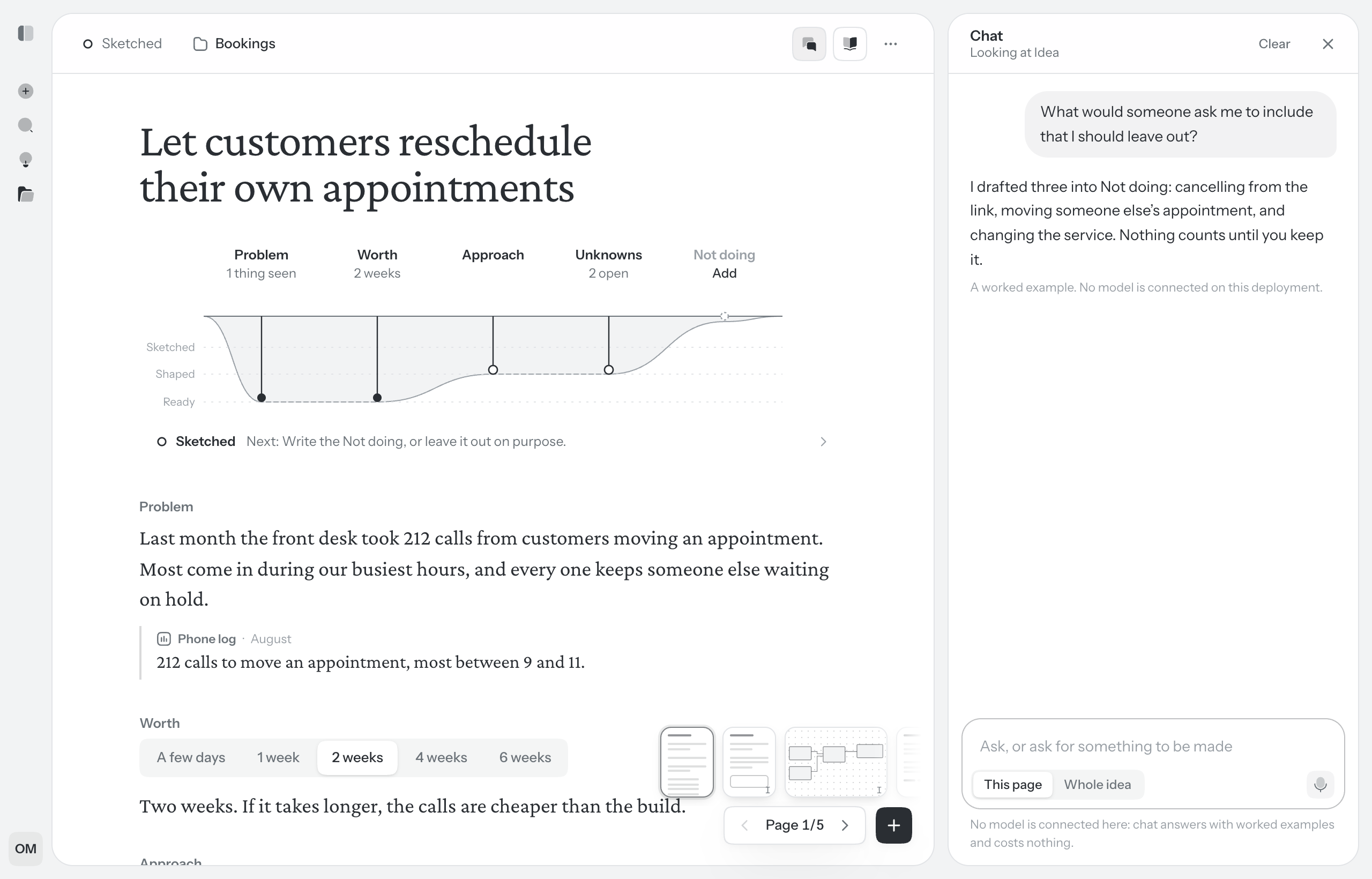
Open the chat
Choose Chat in the idea’s toolbar. It opens beside the page; on a phone it covers the page until you close it. Chat and the Second reader share that space, so one is open at a time.
The conversation is yours. Other people in the idea don’t see it, only the drafts it puts on the page. Clear, at the top, empties it and offers Undo.
Ask, or ask for a draft
Write in the box at the bottom and press Enter. Shift Enter starts a new line. An empty chat offers a few things to try, such as What’s missing before this is ready?
A question gets an answer in the thread. A request for something gets a draft: it lands on the idea where it belongs, marked as a draft, and a card in the thread says what it is and where, with Keep, Discard and Show me. Nothing chat drafts counts until you keep it. See Drafts.
A message can be up to 10,000 characters. Paste something longer, such as a call transcript, and it becomes a file on the idea instead, which chat reads with that one answer.
What it can draft
- The idea itself. The Problem, Worth, Approach, Unknowns and Not doing, with quotes under the Problem. It only fills the parts you haven’t written.
- A part written again. A new Problem or Approach, drafted under yours. Keeping it replaces yours.
- Unknowns and things you’re not doing, added to the lists on the page you’re on. It can also suggest taking an item out.
- Text, headings, lists and new pages.
- A flow. New places, and new things to do in places already there. It adds to a flow and never takes anything out.
- A diagram on a board, on the board you’re on or on a new one.
- UI sketches. A place drawn again, another way to draw it, or a change to it. See Changing a sketch.
It never rewrites your words. Whatever it writes sits beside them as a draft.
What chat knows
The top of the chat says what it’s looking at: Looking at and the page you’re on. Under the box, choose how much it reads: This page, which always includes the idea’s first page, or Whole idea. Either way it sees every board and how far the idea has got. It also knows:
- On a board, what you have selected, so “these” and “this table” mean something.
- On a UI sketch, the place in view, and a part you point at with Point chat at a part. A plain change to that place lands straight away, with Undo.
- How the product is built today, when the project lets chat read its code. See Repositories.
Add files with @
Type @ in the box to pick files for chat to read with your messages: files on this idea (On this idea), on the project (On the project), on the project’s other ideas, and, when the project lets chat read its code, the repository’s files by name, the likeliest first under Likely relevant. Walden only orders the list; you pick.
Keep typing to narrow the list and press Enter to pick. What you pick shows above the box and stays with the conversation until you take it off. Under each answer, a line such as Read 3 files shows what it read. See Files.
What it costs
Each message uses credits. The line under the box says about how many, and how many are left. If there’s more than one model to choose from, the one answering is named there, and the model button in the row above picks another. See Plans and credits and AI models and your own key.
The chat beside your ideas
All ideas and each project’s page have a chat of their own: Chat in the toolbar. It reads across your ideas and answers questions like What is waiting on me? or What did we decide about billing? Choose This list to keep it to the ideas listed beside it, or Whole book. Under each answer it names what it read, with links.
It changes nothing by itself. When an answer calls for it, it offers up to three buttons, and you press the one you want: Open it, Continue in the idea (which carries your message into that idea’s own chat), Show them in the list, Restore it, pin, move to a project, shelve, reopen, Start a new idea, Write it down and Delete it…, which asks again before anything goes.
For an idea a coding agent is building, it can also Open the build, and close a question from the build with what you said. See Following a build.
Three things it won’t do: suggest ideas (asked for some, it offers to start one you name), rank your ideas or say which to do first, or write on a page.