Getting started
Your first idea
This takes one idea from a sentence to the hand-off. Each step links to the page that covers it in full.
1. Sign up
Go to walden.so and choose Start with one idea. You start on the Free plan, with no card, in your own idea book. Only you can see it. You can start a team later; see Workspaces and roles.
2. Describe the idea
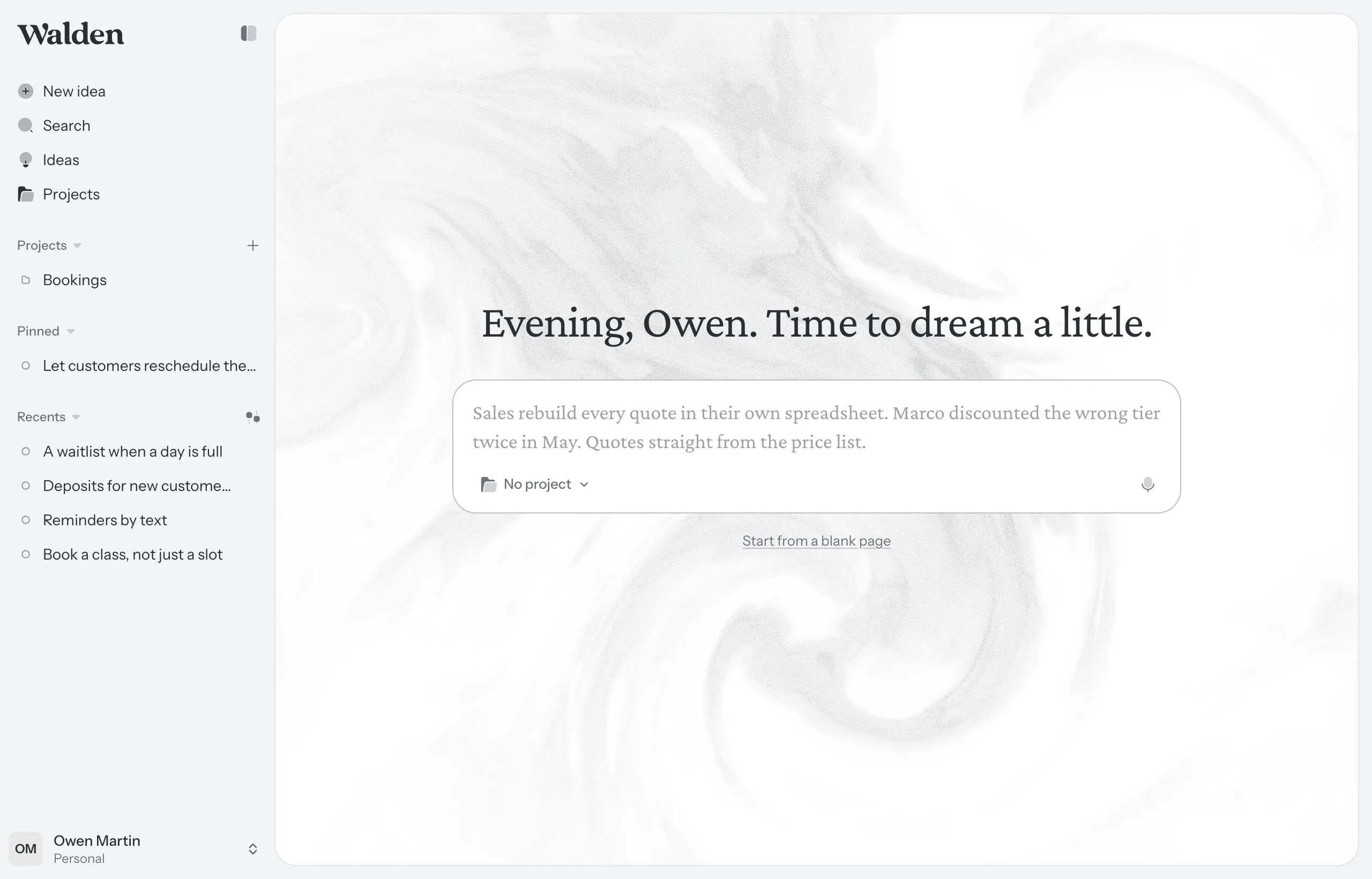
You land on Home: one box. Write what’s going wrong and for whom, the way you’d tell a colleague. A few lines is plenty. Then press Enter.
The idea opens with chat beside it. Chat reads what you wrote, drafts a first version of the idea from it, and asks about what it couldn’t tell.
- If the idea belongs to a product you’ve set up as a project, pick it at the bottom of the box. You can change it later.
- Rather write it all yourself? Use the line under the box. Its words follow what you’ve typed: Start from a blank page with nothing written, Keep this as the title and write it yourself for a line, Put it on a blank page and write it yourself for more. Nothing is drafted.
3. Keep what’s right
What chat writes lands on the page as drafts, with a dashed edge. A draft is a suggestion: it doesn’t count for anything until you keep it. Keep the ones that say what you mean, discard the rest, and rewrite freely either way. See Drafts.
4. Fill in the parts
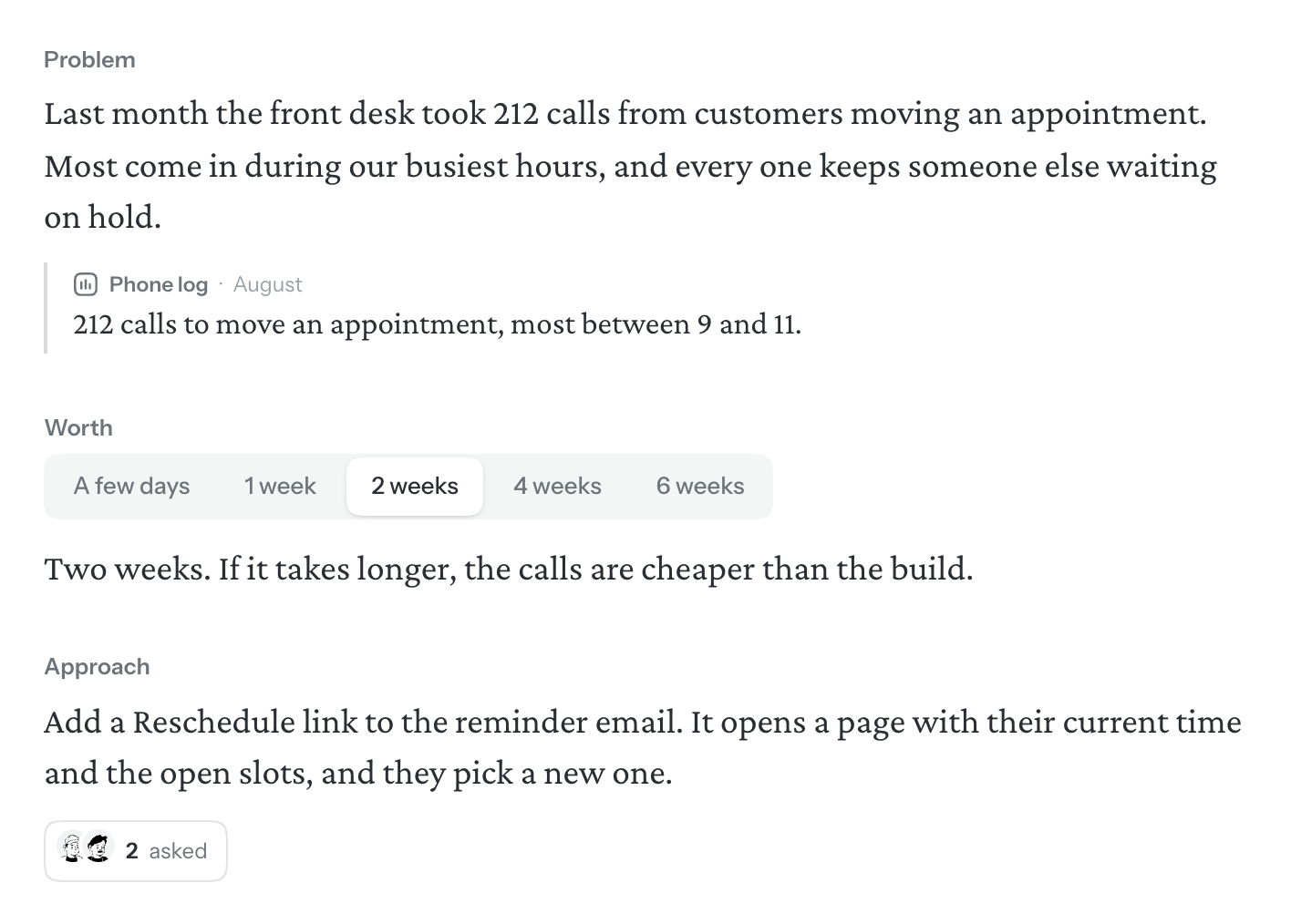
Every idea has the same parts, and each answers one question:
- Problem. What’s going wrong, and for whom. Put what customers said under it as quotes.
- Worth. How much time this is worth. It sets a ceiling, so the people deciding can weigh it.
- Approach. The answer, at the level of a sketch.
- Unknowns. What you don’t know yet. Start a line with ?, write the question and press Enter.
- Not doing. What you’re leaving out on purpose.
A new idea starts with the Problem. Add the other parts from the / menu: type / on an empty line. See The idea page and Unknowns and Not doing.
5. Check how far it’s got
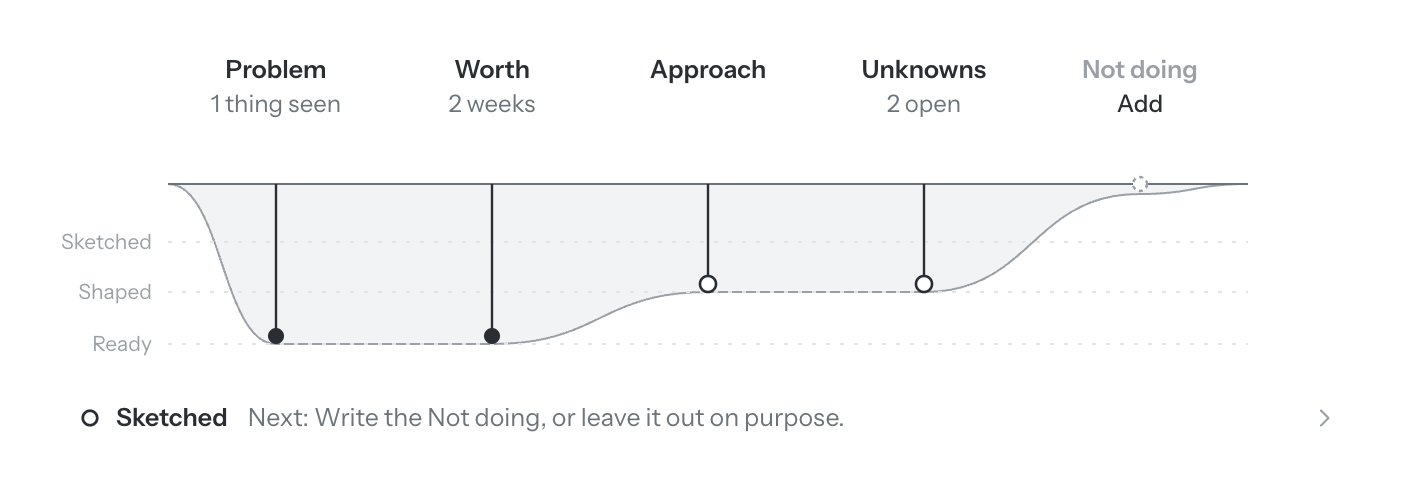
The strip at the top of the idea shows where it stands: Sketched, Shaped or Ready. Walden reads each part as you write and suggests the next step. It never stops you from going on. See Readiness.
6. Ask a second reader
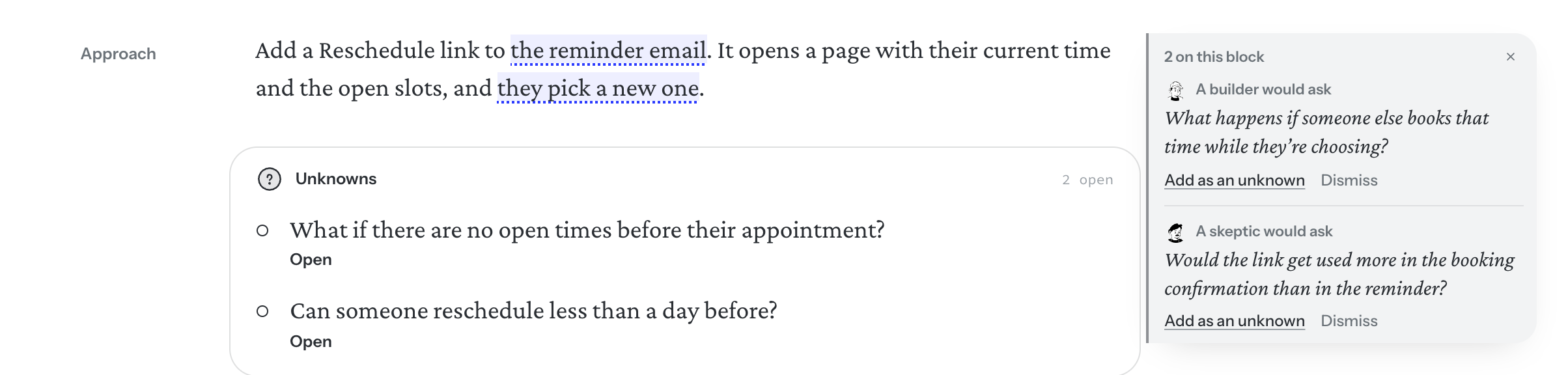
Choose Second reader in the toolbar, pick who reads (a builder, a decider, a fair skeptic, or a reader you wrote), and choose Read. Their questions appear in the margin beside the part they’re about. Answer one on the page, keep it as an unknown with Add as an unknown, or Dismiss it. See The second reader.
7. Add what helps
- A Flow lays out the places someone goes and what they do there. Walden can sketch each one as a screen. See Sketching the screens.
- A board is for diagrams: how a system fits together, what gets stored. See Boards.
- Files keep research, notes and spreadsheets with the idea, where chat can read them. See Files.
- If the product has code on GitHub, connect it to the project, and chat, the readers and the sketches will know how it works today. See Repositories.
8. Bring people in
In a team workspace, others can write with you at the same time, and anyone can leave a question in the margin. To walk the people who decide through it, choose Present from the More actions menu (…). See Writing together and Presenting.
9. Hand it off
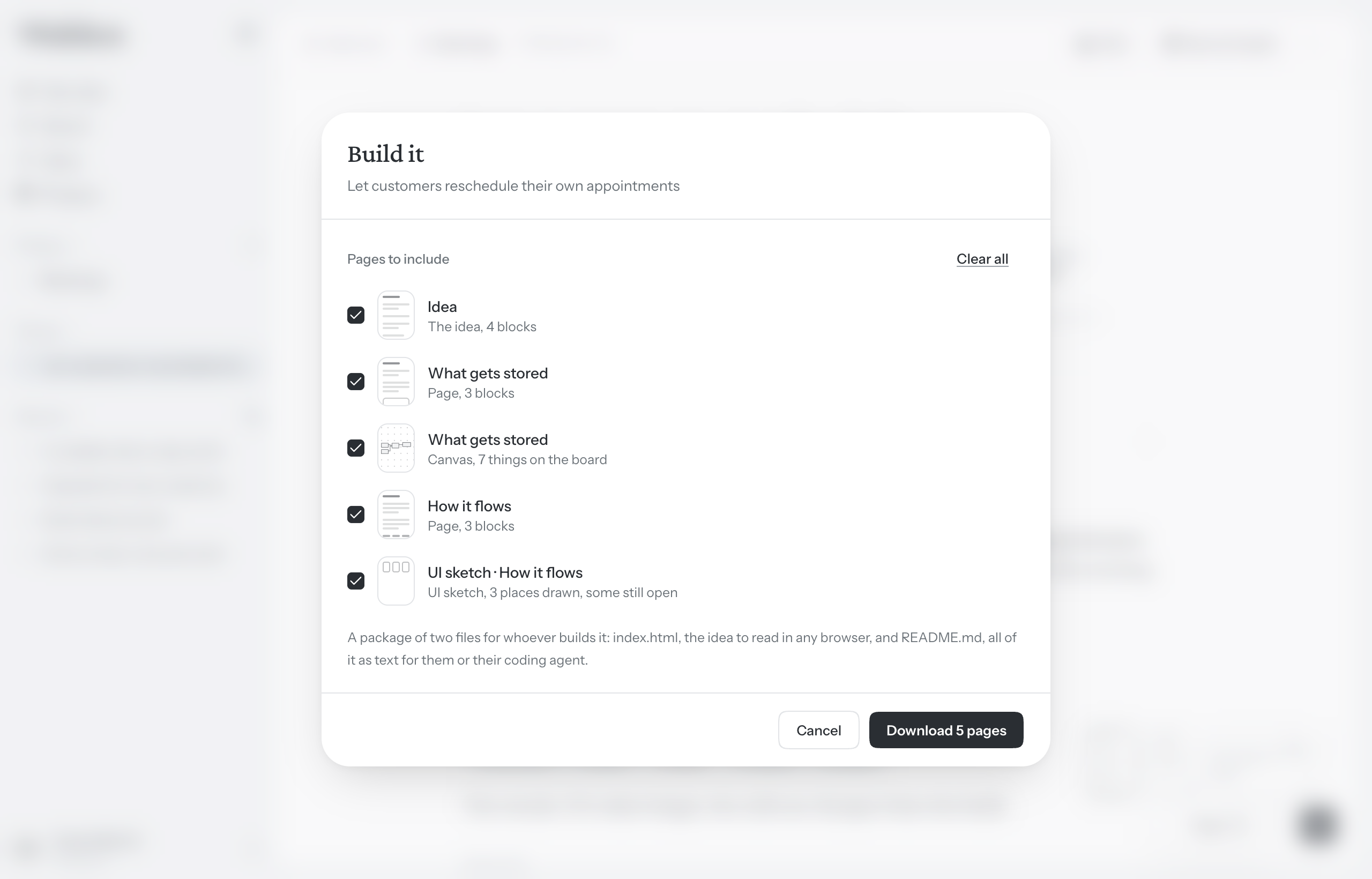
- Open More actions (…) in the toolbar and choose Build it….
- Walden lists what’s still open: unknowns nobody has closed, parts not written, questions not answered. Close them first, or hand it off as it is.
- Tick the pages to include and press Hand off 3 pages to download a package of the idea for your engineering team. Where coding agents are on, choose As a file first. See Handing off.
Or choose With a coding agent: a coding agent reads the idea from Walden, keeps its tasks here and asks you its questions, and you follow the build beside the idea. See Coding agents.
Changed your mind? Choose Reopen from the same menu and keep going.