UI sketches
Sketching the screens
A UI sketch turns a flow into rough screens, so whoever builds the idea can see what someone does on each one and where it leads. It shows the idea. It isn’t the design.
Start from a flow
A sketch is drawn from a Flow block on a written page. The flow lists the places someone goes, what they can do in each, and where each action leads. Each named place becomes one screen; a place without a name isn’t drawn. See Formatting and the / menu.
The flow is the source of truth. Change the flow and the sketch follows. Nothing you do on a sketch changes the flow.
Draw the screens
- Under the flow, choose Sketch the flow. Beside it, Walden says roughly what it will cost and which model draws it.
- Each place is drawn as its own screen, then looked over once more before you see it.
- The sketch arrives as a draft: a new page after the flow’s, named like UI sketch · Idea, with a small picture of it under the flow. Keep it or discard it, like any draft. See Drafts.
Once a flow has a sketch, the line under it says how many places are drawn (3 of 5 places sketched). Add a place later and a link such as only the one missing draws just that one. Choosing Sketch the flow again redraws every place, so Walden asks first and says what it costs.
The sketch page
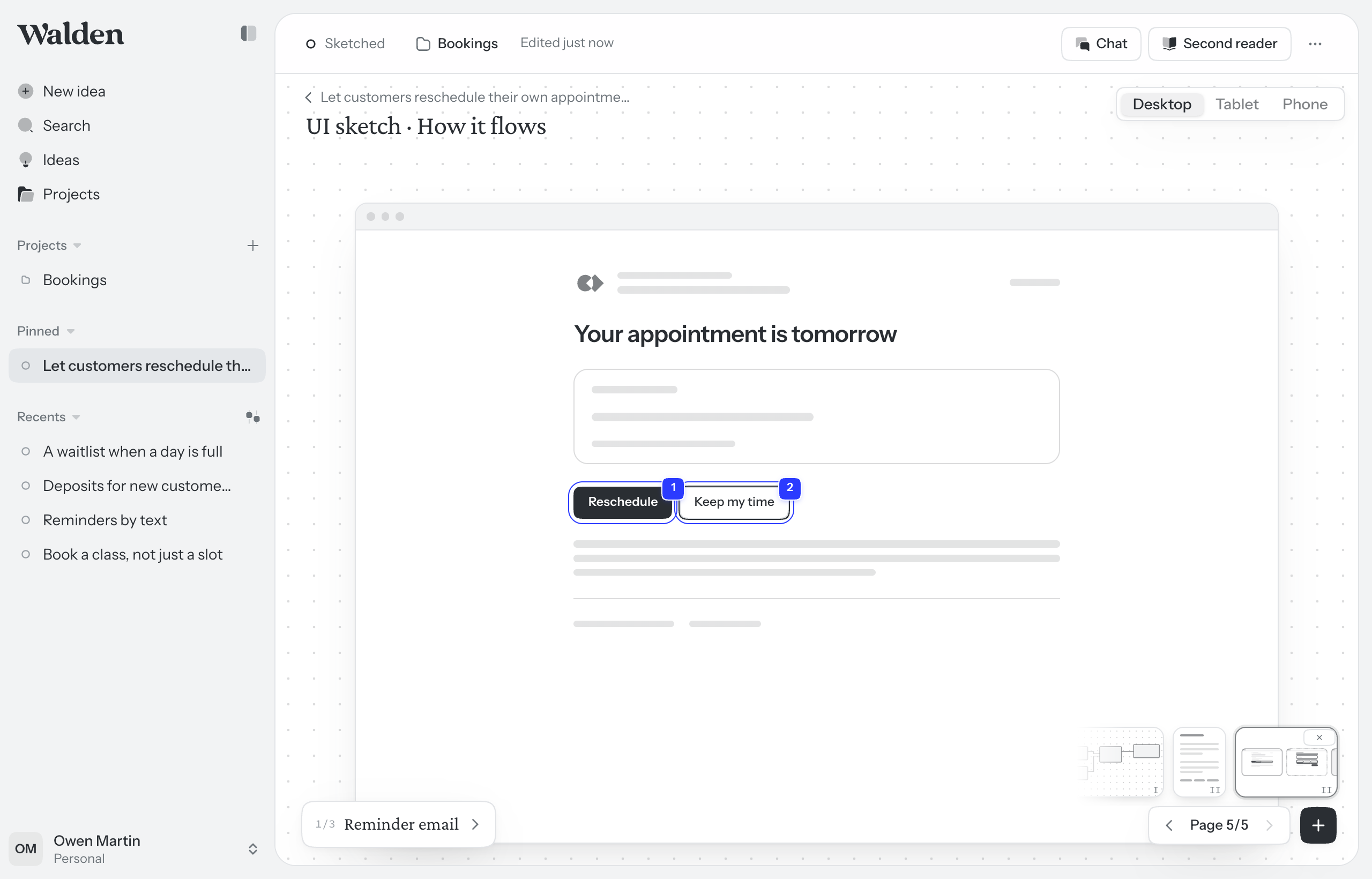
The page walks through the flow one screen at a time. The Places list on the left names every place in order: click one to go to it, or use the arrows at the top of the list. Click a control on a screen that does one of the flow’s actions, and you go where the flow says it leads.
- Desktop, Tablet and Phone, at the top right, show the screens on each device. Every sketch is drawn for all three.
- What you can do here lists the place’s actions and where each one leads. Hover an action to light up its part on the screen. An action the screen doesn’t show yet is in italics, marked not on this screen yet.
- A word beside a place’s name says where it stands. Not sketched yet: choose Sketch it to draw it. Flow changed: the flow changed after it was drawn, so choose Redraw from the flow. Drifted: the screen has a control the flow doesn’t name. See Changing a sketch.
- Under the flow sits the sketch in miniature. Click it to open the sketch page. A hollow dot beside a place in the flow means it changed after it was drawn.
Remove the flow and Walden asks whether to delete its sketch too (Flow removed. Delete its UI sketch too?). Choose Delete and you can still undo it. Leave the message, and the sketch stays.
What’s drawn in ink and what’s grey
The flow decides what is drawn in full. In ink: the screen’s heading, every control that does one of the place’s actions, and the part of the screen the idea changes. Everything else is grey. Words become bars and controls become outlines. The grey is there for context, so the sketch shows what changes without designing the rest.
If the idea’s project has a repository connected and Walden may read its code, each place starts from the real screen in your code, and the grey traces that screen as it is today. Walden finds the screen by the place’s name, so name places the way your product names its screens. See Repositories.
A sketch, not your design
Every sketch is drawn in the same plain kit, never in your product’s own look, so nobody mistakes it for the design. Where your product’s logo would go, the kit’s own mark stands in. Your engineering team builds the real screens with your product’s own components. The foot of the Places list says so.
Several versions of a screen
A place can be drawn more than one way, up to 5. How to ask for another is in Changing a sketch. Each version is named above its screen: v1, v2 and so on. Click one to see it, then choose Keep on the one you want. A kept version has a filled dot.
Until you keep one, the place is still open. Its number in the list has a dashed outline, and it says still open · 2 ways. Whatever reads the idea afterwards is told it isn’t decided: chat, and the package you hand off, which lists it under Still open.
A coding agent gets every version of an open place, marked as not decided, and is told to ask rather than choose.
Presenting and handing off
In Present, a sketch is a walkthrough: the arrow keys step through its screens, then on to the next page. See Presenting. The package you hand off carries every screen on desktop, tablet and phone, with your annotations under each. See Handing off.