Writing an idea
The idea page
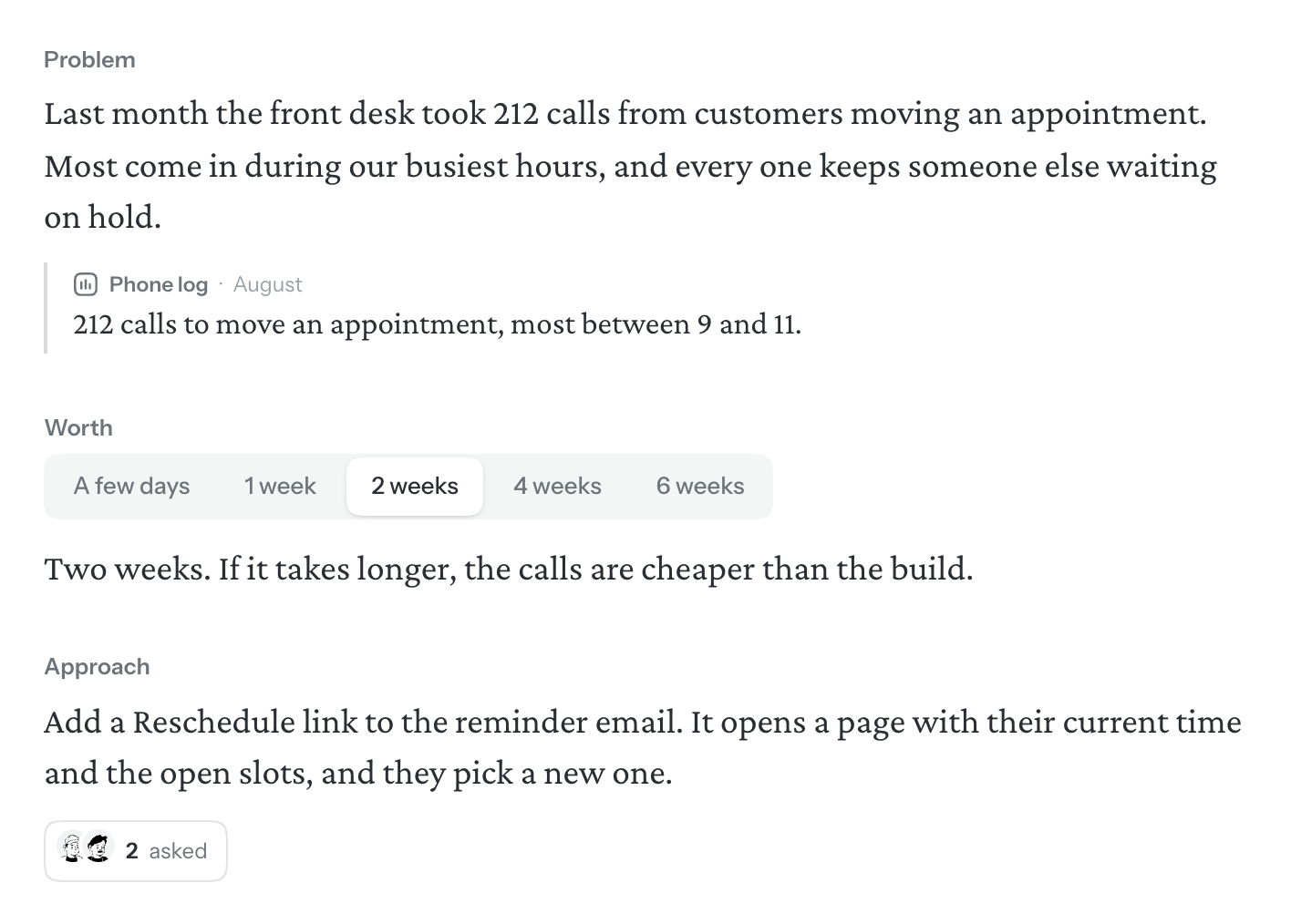
Every idea starts on the same page: a title, then a few parts. Each part answers a question that whoever builds the idea would otherwise have to come back and ask you.
The title
The first line of the page is the idea’s title, and it’s how the idea is listed everywhere. Until you write one it says Untitled idea. Press Enter to go on to the page.
Start with the Problem
A new idea starts with the Problem alone, because it’s the one part every idea needs. Say who has the problem and what goes wrong for them, in your own words. An empty Problem shows an example to follow. Enter starts a new paragraph inside it; Enter on an empty last line takes you out.
Evidence
Under the Problem goes what you actually saw. It sits apart from your words on purpose: the claim is yours, the proof is somebody else’s. Choose What did you actually see? (once there is some, Add more evidence) and pick what kind it is:
- Something said
- A line from a call, a message, a review
- Something seen
- A screenshot of how it works today
- Something counted
- Tickets, rates, how many and how often
Each piece has a line for who or where it came from, and when, in your own words. For something said, write what they said; for something counted, what was counted; for something seen, Walden asks for a screenshot. Chat can draft a quote or a count from what you tell it, never a screenshot.
Say which file it came from
A quote or a count can name the file it’s from. Hover it, choose the paperclip (From a file) and pick the file: this idea’s, or in a project, the project’s own and those on its other ideas. For a PDF, type the page beside it. Nothing is copied out of the file: the words stay yours. See Files.
Worth
Worth says how much solving the problem is worth: a ceiling on the time a team would spend on it, so the people deciding can weigh it. Pick one of A few days, 1 week, 2 weeks, 4 weeks or 6 weeks; pick it again to clear it. It’s a ceiling, not an estimate. Under the sizes, say why this much, and not more.
Worth is the one part nothing asks for. A new idea doesn’t have it, and until you add it the readiness strip has no line for it.
Approach
The answer, at the level of a sketch: the main parts, and how they fit together. Keep it loose enough to leave room for the people building it, but make every decision they would come back to you for. Where you’d rather they decide, say so: write Left to the builder: and name it.
If the answer needs a picture, put one on the page: a flow of the places someone goes, a quick sketch, or a board for diagrams. See Formatting and the / menu.
Unknowns and Not doing
Unknowns are the questions you can’t answer yet whose answer would change the approach. Not doing is what you’re leaving out on purpose. Each is a list in a box of its own, and you can start a line with ? on any page to add an unknown. See Unknowns and Not doing.
Add a part
- Type / on an empty line and pick the part under Parts of the idea. A part that’s already on the page isn’t offered.
- Or look at the readiness strip at the top of the page: a part that isn’t there yet says Add under its name. Click it and the part goes in its usual place.
- Or ask chat to draft one. It lands as a draft, for you to keep or discard. See Chat.
Once it’s there, a part moves like any other block: drag it by its grip. See Formatting and the / menu.
Leave a part out on purpose
Not every idea needs every part. To leave one out, click the grip beside it and choose Delete. Walden says it was left out of this idea, with Undo. The readiness strip then says Not needed under its name, and the part isn’t counted. Click it there to add the part back. Worth is the exception: deleting it just takes it off, nothing is recorded, and the strip drops its line.
For Unknowns and Not doing there is a second way: keep the box and say it’s empty on purpose, with Nothing open or Nothing to rule out. Whoever builds the idea is told the same.